
If you have ADHD traits, you have probably already tried the app route. Something gets installed with real optimism, works for four days, and then becomes one more icon you have learned to ignore.
That is not a discipline failure. It is a design mismatch. Most productivity apps assume you will remember to open them, keep them updated, and consult them at the right moment. Those are exactly the things that are hard.
What tends to work instead is external structure: setups that act without needing you to remember them. Below are seven, ordered roughly by how much difference they make for the most common problem, which is losing time in a browser. Each one names the kind of tool that fits it. We describe our own product in detail and stay general about others, because feature sets and pricing shift often enough that a specific claim we cannot verify today would be unreliable by the time you read it.
One thing before the list: none of this is treatment, and none of it is a substitute for talking to a clinician about diagnosis or care. These are practical supports.
Why the Usual Advice Falls Short
Standard productivity advice assumes the gap is between knowing and deciding. For a lot of ADHD adults the gap is between deciding and starting, which is a different problem entirely.
A long task list does not help with starting. It usually makes things worse, because scanning it costs effort and every item is a decision. Similarly, a reminder that fires once and disappears asks you to act at exactly the moment your attention is somewhere else.
There is also the browser problem. Feeds are the most available thing in the world when a task feels hard, and the reach for them is not really about boredom. It happens at the moment of friction, which is why we reach for our phones when tasks feel hard to start.
The setups below share one property: they change what is available or what is visible, rather than relying on you to remember an intention.
The 7 Setups
1. A blocker that runs on a schedule, not on willpower
This is the highest-leverage change for most people whose work happens in a browser, because it removes the option instead of asking you to resist it.
The important word is scheduled. A blocker you switch on manually needs a decision at the exact moment you are least able to make one. A blocker tied to your working hours has already decided.
MonkeyBlocker is built this way. It is a productivity Chrome extension whose rules run on Smart Schedules: you define work or study hours, blocking applies during them, and the rules can relax automatically outside those hours. A hard block can be scheduled, and per-site time limits in Chrome can be attached to a schedule too, so a site you genuinely need gets a budget during work hours rather than a wall. The first-party documentation gives the example of a daily site limit applied from 9:00 a.m. to 6:00 p.m. on weekdays.
It can also work below the domain level. As a social media blocker it targets feeds and reels specifically, which matters when the platform itself is part of your job and only the feed is the problem.
Worth knowing: it runs locally in Chrome without an account, settings do not automatically sync to another computer, and it does not cover your phone or apps outside the browser. Those gaps are covered by items 5 and 7 below.
2. One capture inbox you actually trust
The purpose is not organization. It is getting the thought out of your head fast enough that it does not derail what you are doing.
What matters in a tool here is capture speed and nothing else. If saving a thought takes more than a few seconds or requires choosing a category, you will not do it mid-task. A notes app with a keyboard shortcut or a voice memo beats an elaborate system every time.
The rule that makes it work: one inbox, not four. Two places to capture means neither gets trusted.
3. A timer you can see without opening anything
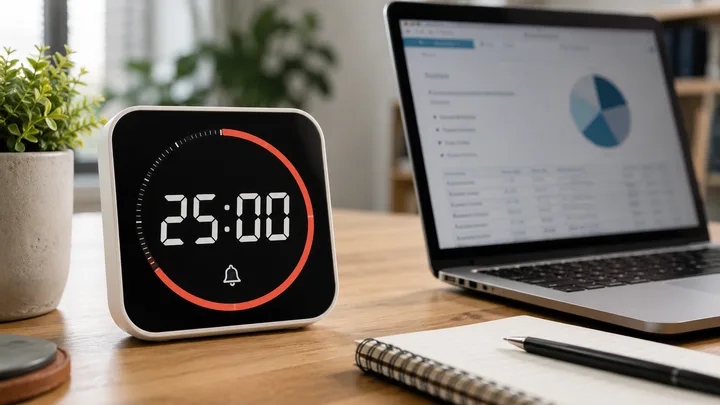
Time blindness is one of the most consistently reported difficulties, and a countdown that is physically visible does more than a notification that fires at the end.
Any visible timer works, on-screen or on the desk. What matters is that it is ambient rather than something you have to check. The point is not pressure; it is having an external sense of elapsed time so a twenty-minute task does not silently become ninety.
Pair it with a defined stopping point. A block with a clear end is easier to start.
4. Working alongside someone
Body doubling, whether in person or on a silent video call, is one of the few things that reliably helps with starting. Nobody is supervising you; the presence of another person working simply makes drifting off less automatic.
The tool here is whatever video call software you already have, or a colleague at the same table. No new app required.
This is the same principle as the others: an external cue doing the work an internal intention was failing to do. There is more on that in how external cues help ADHD brains start and finish tasks.
5. A notification blackout during your best hours
Push interruptions are expensive for anyone and more expensive when returning to a task is already the hard part.
Use the notification settings you already have on your computer and phone. Silence everything non-essential during the hours you protect, and set messaging tools to alert only on direct mentions. Keep exactly one channel open for genuine emergencies and tell people which it is.
No purchase needed. This is usually the fastest single improvement available.
6. A three-item daily plan, written where you will see it
Not an app requirement, a format requirement. Three items, chosen the evening before, visible without opening anything.
Long lists fail because reading them costs effort and every item competes. Three items with times attached removes the choosing from the moment when choosing is hardest.
If you use a task manager, use it as storage and pull three things out of it each day. The daily plan should be short enough to read at a glance.
7. A phone setup built on friction
The browser blocker will not touch this, and for many people the phone is the larger leak.
Move the phone out of arm's reach during focus blocks, keep it face-down, and remove the most pulling apps from the home screen so opening them takes a search rather than a tap. Grayscale helps some people and does nothing for others; it is cheap to test.
Mornings deserve particular attention, since starting the day inside a feed tends to set a reactive tone for hours afterward. Our article on how morning phone habits shape focus and energy covers why.
How to Choose Without Collecting Tools
Pick one item from this list. Not three.
The failure mode for ADHD adults specifically is enthusiastic setup followed by abandonment, and each additional tool multiplies the maintenance that makes abandonment likely. One change, run for two weeks, tells you more than a full system that lasts until Thursday.
Choose by bottleneck rather than by appeal. If you lose hours in the browser, start with item 1. If thoughts derail you constantly, start with item 2. If you cannot start at all, items 3 and 4 do more than any blocker. If you have no idea which, it is usually item 1 or item 5.
Two practical warnings. Avoid anything that gamifies focus so heavily it becomes its own distraction. And be wary of tools requiring daily upkeep to stay useful, since the upkeep is the first thing to go in a difficult week.
When something stops working, it is worth noticing whether the tool failed or whether the novelty simply wore off. If it is novelty, a small change is often enough. If nothing feels engaging in general, that is a broader pattern worth reading about in why nothing feels interesting anymore.
Finally: an ADHD focus app is a support, not a solution to everything. If focus difficulties are significantly affecting work, study, relationships, or sleep, that is worth discussing with a qualified clinician rather than solving with software alone.
Where to Start
Choose the one item that matches your biggest leak and set it up today. Give it two weeks before adding anything.
For more on the attention side, our focus articles and our ADHD articles go deeper into starting, sustaining, and recovering attention.
Product details described here reflect MonkeyBlocker's first-party documentation as of publication; check the linked pages for the current feature set.